
User guide
Diagnostics tab
Use this tab to securely run basic network diagnostic tools (ping, traceroute, nslookup, tcpdump, and ifconfig) remotely from Inseego Connect without exposing the full device Command Line Interface (CLI) or compromising system security.
This controlled execution environment provides essential diagnostic capabilities through a secure, auditable interface - allowing you to troubleshoot connectivity and performance issues efficiently while preserving system integrity and minimizing security concerns.
NOTE: This tab is available for select devices only.
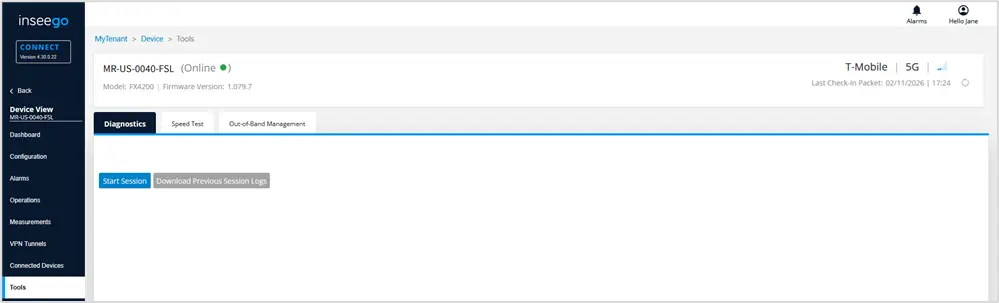
Click Start Session to launch a terminal window.
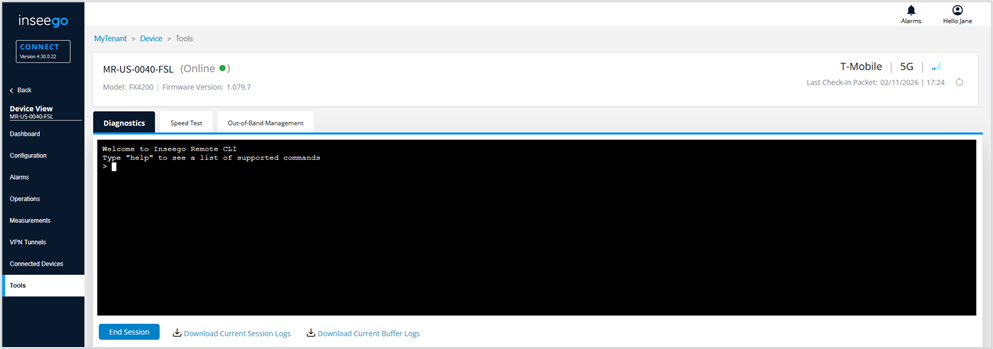
Type help to see a list of possible commands.
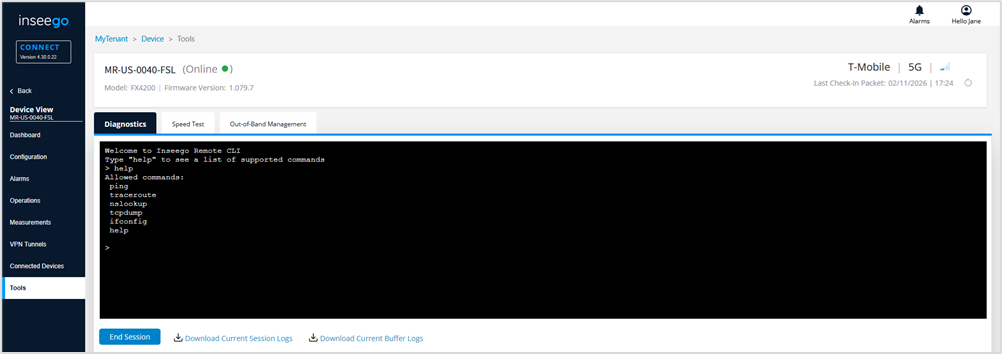
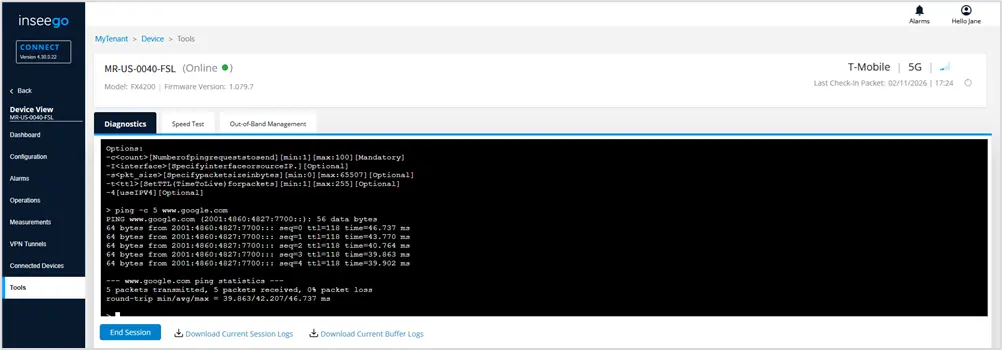
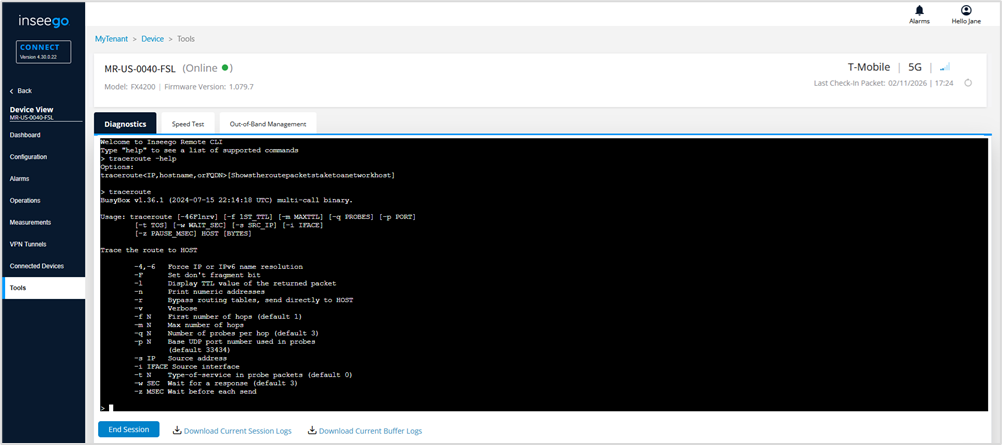
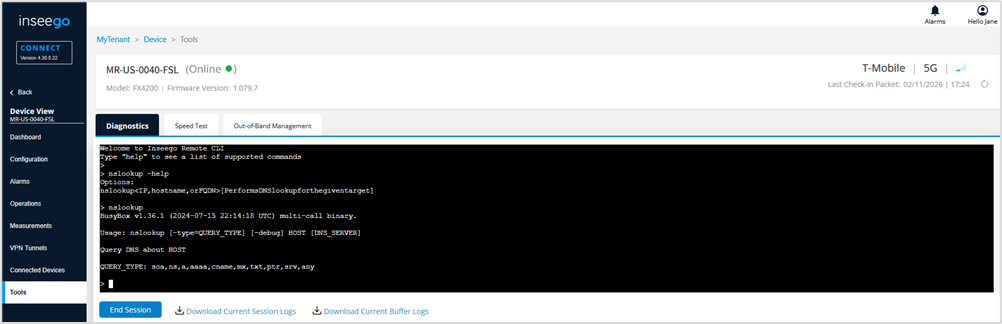
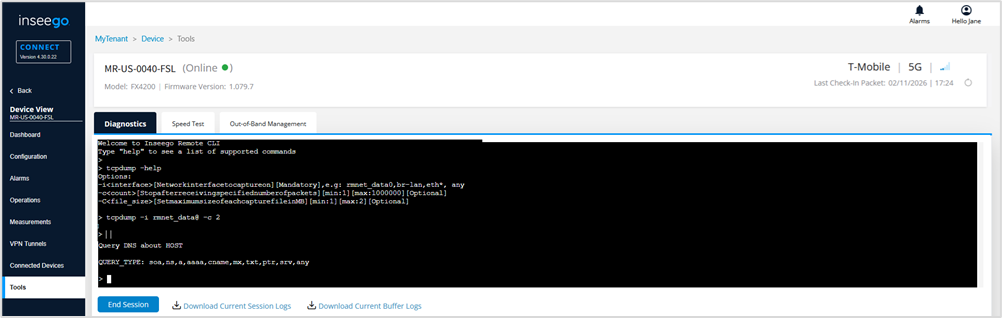
Type a command and then -help to see options for that command.
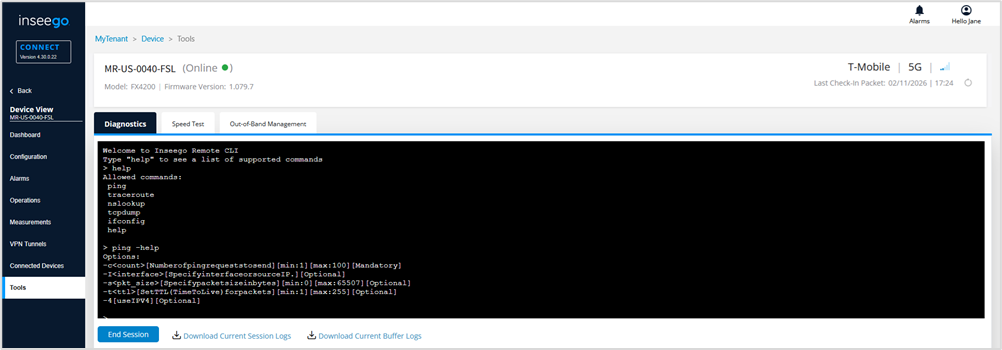
Examples:
ping
traceroute
nslookup
tcpdump
ifconfig
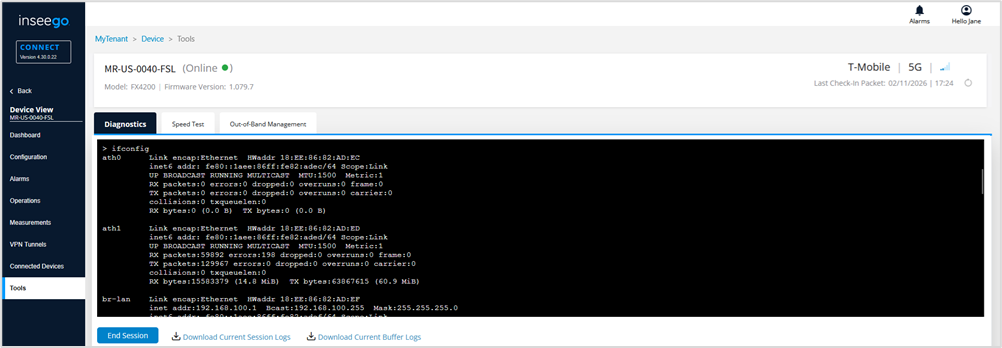
ipsec
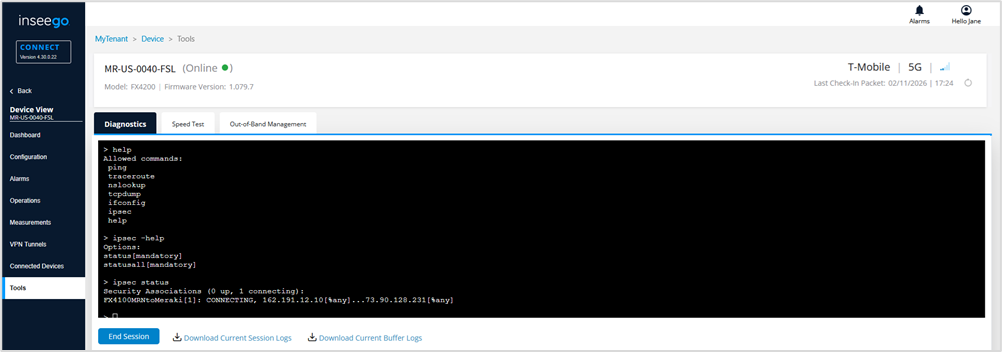
NOTES
- Session are active for 15 minutes.
- Click Download Current Session Logs to download logs for the current session or Download Previous Session Logs if the session has ended. For tcpdump, you can choose to Download Current Buffer Logs in the same manner.