User guide
Home page
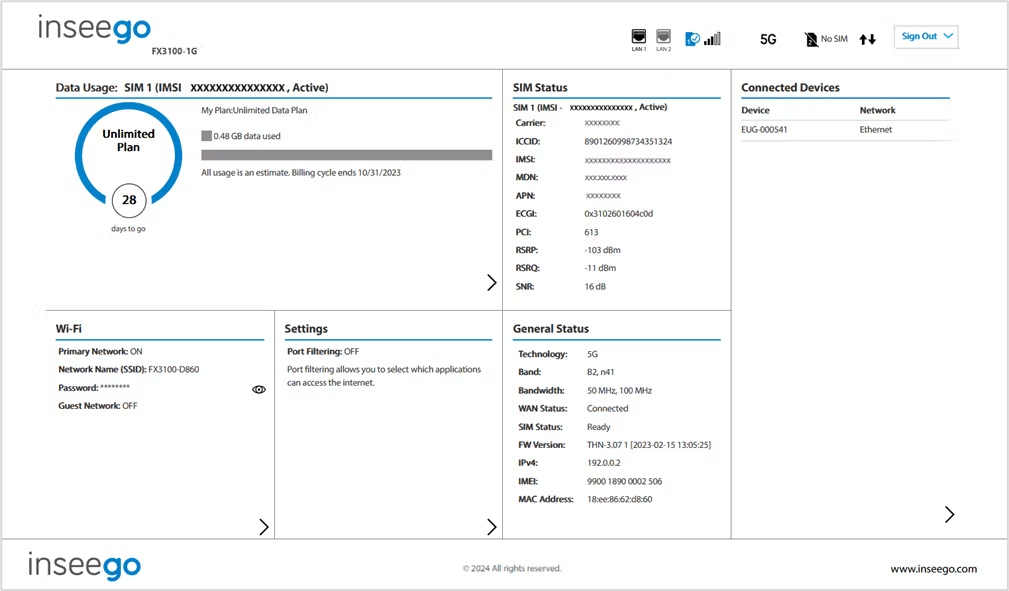
The home page of the Admin web UI is the local gateway to configuring and managing your FX3100 series router. It displays the current Wi-Fi networks and passwords and lists all currently connected devices. It also shows data usage, SIM status, general status, and setting information.
Click  in the bottom-right corner of a panel to access screens with further information and options.